
Recover Deleted Photos App
DOSA AppsPhotography
4.4612.00 Reviews
- Version
- 2.3.0
- Installs
- 10.00M
- Age Rating
- Everyone
Screenshots
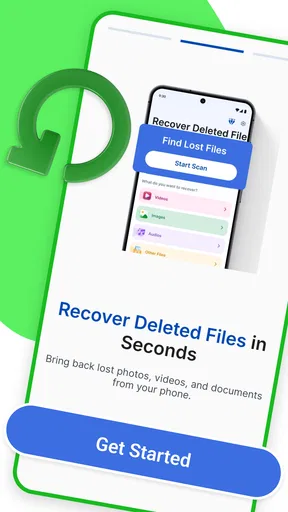

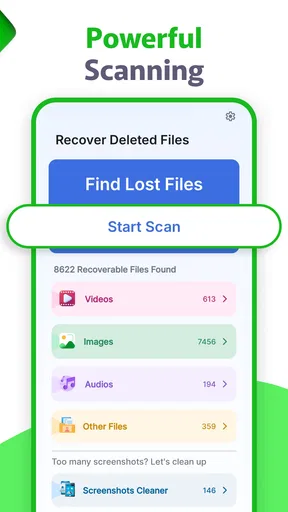
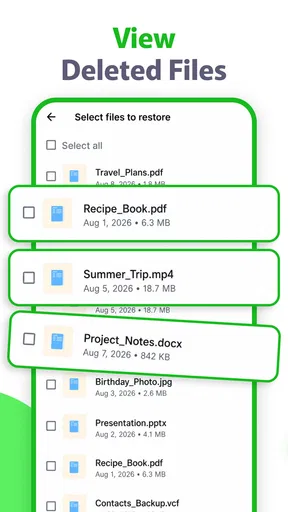
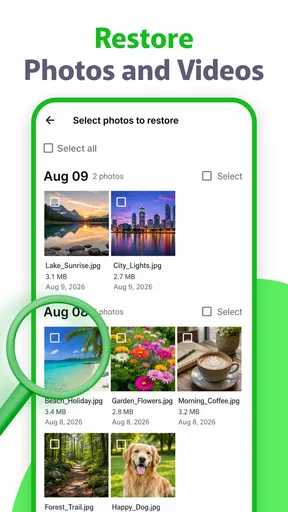
Our Review of Recover Deleted Photos App
 Analysis by Appyee
When an important picture disappears, my first instinct is not to install a recovery tool; it is to check the phone’s own recently deleted folder and any backup I already use. That distinction matters with Recover Deleted Photos App: I see it as a second route to try when the ordinary options do not solve the problem, not as a replacement for a steady backup habit. For an accidental deletion, it can be a reassuring tool to have at hand, but recovery is never something I would treat as guaranteed.
A tempting first-week safety net
The appeal is easy to understand in the first few minutes. DOSA Apps’ photography app focuses on one stressful job: finding pictures that may still be recoverable and making it easier to choose what to restore. It is free to install, rated for Everyone, and has a 4.3 average from around 175,000 ratings. Those figures suggest that plenty of people have found a use for it, though they cannot tell me whether a particular deleted image will come back on a particular phone.
If I had just cleared a batch of photos while trying to free space, I would open the app, look through the results carefully, and restore only the images I actually want. That last step is worth taking slowly. A recovery gallery can surface old or unwanted pictures alongside the one I am looking for, and restoring everything would make the phone’s library harder to manage rather than easier.
What to try before and during a scan
Before scanning, I would check the phone’s built-in deleted-items area and the photo service I normally use for backups. These are sensible first stops because they may offer a direct way to retrieve an item without adding another tool to the process. If neither helps, this app gives me another avenue to explore. I would avoid taking lots of new photos or downloading large files while I am searching: new activity can make a recovery attempt less promising on a device where deleted data may be overwritten.
During a scan, patience and selective review are more useful than speed. I would preview candidate images at a size that makes it possible to distinguish the actual picture from a thumbnail or an unrelated old file, then recover a small group rather than tapping through the whole gallery. Afterward, I would open the restored images to check that they display properly and put the keepers into a separate album or backup. That simple workflow helps prevent a second round of confusion.
First Impressions and Setup
Downloading and setting up the Recover Deleted Photos App was a breeze. The app is available on both Android and iOS, so no matter your device preference, you're covered. I was pleasantly surprised by the sleek design and intuitive interface. It didn't take long for me to get a hang of how everything worked, which is always a plus when you're dealing with tech that's supposed to make life easier, not harder.
Getting Down to Business: The Recovery Process
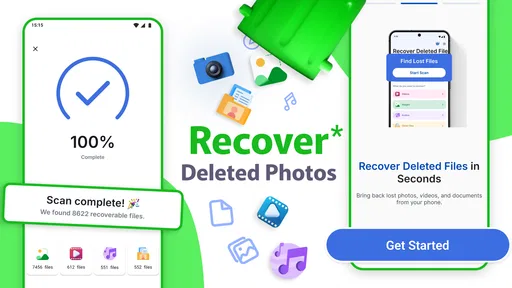
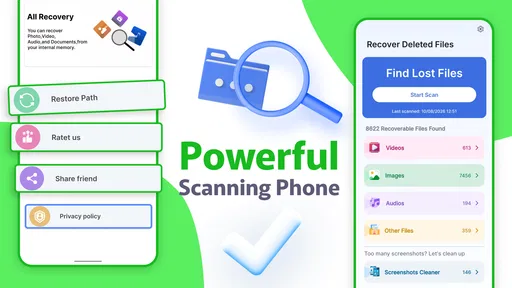
So, how does it work? Once you've opened the app, it scans your device for deleted photos. The scan itself was relatively quick on my phone, though I imagine it might vary depending on your device's storage capacity. After the scan, the app presents you with a gallery of recoverable images. It's almost like a trip down memory lane, seeing some old snaps I thought were lost forever.
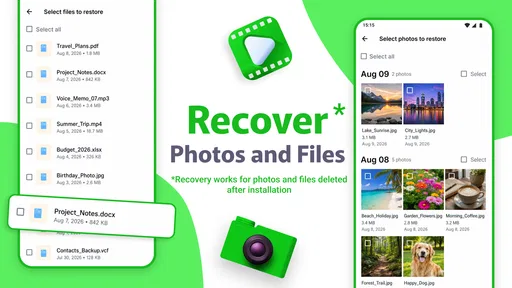
The app lets you select which photos you'd like to recover, and with a simple tap, they're back in your gallery. It's straightforward and effective, which is exactly what you want in a recovery app. No fuss, no muss.
Features That Stand Out
One of the standout features for me was the app's ability to recover not just recently deleted photos but also those lost quite a while ago. It delves deep into the recesses of your phone's storage to pull out images you thought were long gone. Another handy feature is the preview option, allowing you to see what you're recovering before you hit that button. This helps in deciding whether a photo is worth bringing back or if it's better left in the digital abyss.
The app also provides an option to back up recovered photos directly to cloud storage. This is a fantastic feature for those of us who fear losing our precious memories again. A little peace of mind goes a long way.
Using it for a real-life mishap
Picture a busy morning: I am clearing screenshots and duplicates while getting ready to leave, then realize I have deleted a photo of a receipt I need to submit later. I would first check the phone’s deleted folder, then any backup that may already contain it. If those routes fail, I would use the scanner and look for the image by its appearance rather than assuming it will be the newest result. Once recovered, I would verify that the receipt is readable before relying on it and save a copy somewhere I routinely keep important documents.
That example also shows where the app is less useful. A photo is not the same as a dependable document archive, and an image that is urgently needed for work should not be left in the hands of a recovery scan alone. For important paperwork, I would keep a dedicated copy in a sensible folder or backup from the start. The recovery tool is a fallback, not a filing system.
Usability and Performance
While using the app, I found its performance to be quite reliable. There were no crashes or bugs during my testing, which is always a bonus. The interface is intuitive, with clearly labeled options and a straightforward flow that guides you through the recovery process. I did notice that the app works best on devices with a moderate amount of storage space left; if your phone's bursting at the seams, it might take a bit longer to perform scans.
Where it fits among the usual options
Compared with simply checking a phone’s deleted-items folder, this app asks me to take an extra step, but it can be worth trying when the straightforward route has not found the picture. Compared with a computer-based recovery tool, it is more convenient for someone who wants to search from the phone itself, while a desktop workflow may suit someone who is comfortable connecting devices and managing files there. Neither approach makes recovery certain, so I would choose the least complicated option that matches the situation.
It is also different from a cloud photo library used as an ongoing backup. A backup service is most valuable when it has already been keeping copies; a recovery app is something I reach for after a deletion. I would not rely on one to substitute for the other. If my main concern is never losing family photos, I would spend more effort on a regular backup routine than on keeping a recovery app ready for a crisis.
Month-to-month value, without making it a habit
For me, the app’s lasting value is occasional rather than daily. Most people do not need to scan their gallery every week, and repeatedly searching without a specific missing image in mind can turn a focused tool into another source of clutter. I would keep it in mind for a genuine mishap, but I would not build a routine around scanning just because the option is there.
The app is free to install, with in-app purchases listed from $0.99 to $99.99 per item. I would check what an offered purchase covers before paying, especially if I had not yet confirmed that the scan found the image I need. Someone who only wants to attempt one recovery should be cautious about spending more than the value of the problem warrants; someone who often manages photos may judge the trade-off differently.
Maintenance and the points where patience runs out
There is little benefit in treating a recovery app as a maintenance tool. The useful maintenance happens elsewhere: keep a backup current, review the phone’s own deleted folder before it clears, and avoid filling storage unnecessarily. If I do use this app, I would remove it later if I no longer need it and prefer not to keep extra tools installed without a clear purpose. That is a personal choice, but it keeps my phone simpler.
The main source of frustration is expectation. A scan can show candidates without guaranteeing that the original full-quality image is recoverable, and a long search can still fail to find the one photo that matters. A nearly full phone may also make scanning less comfortable, as I noticed. If the app does not surface the picture, I would stop repeating the same scan and turn to backups, shared copies, or the person who sent the original instead of assuming that more attempts will solve it.
It is also worth thinking about privacy before granting any photo-related tool access to a personal library. I would review the app’s requested access on my device and avoid recovering images I do not intend to keep. That is sensible housekeeping for any utility that works with personal pictures, especially when old files may include material I had forgotten was on the phone.
Who should keep it in mind
I would recommend considering it for someone who occasionally deletes pictures by mistake, wants a phone-based recovery attempt, and is comfortable checking results rather than expecting a perfect restore. It may be especially handy after a quick cleanup when one family snapshot or travel image turns out to have been selected accidentally. Its straightforward purpose is a plus in that stressful moment.
I would skip it if I already have a reliable backup that makes recovery simple, if I need a guaranteed result for a critical file, or if I would rather manage recovery through a computer. It is also not the right answer for someone looking for photo editing, gallery organization, or automatic protection against future loss; those are different jobs. The app is best judged narrowly as a possible recovery route.
Final Thoughts
Overall, the Recover Deleted Photos App impressed me with its simplicity and effectiveness. It's a handy tool for anyone prone to accidental deletions or those who simply want a safety net for their photo gallery. While it might not recover every single photo, it does a commendable job of retrieving most files. Plus, the added backup feature is a true lifesaver.
If you're looking for a straightforward way to recover lost photos without diving into complicated tech jargon or processes, this app is worth considering. Give it a try, and you might just find your lost memories waiting to be restored.
Will it earn a permanent place on my phone?
Probably not as a tool I use every month, and that is not a criticism. Its appeal is strongest when something has gone wrong; once my photos are safe and organized, the better long-term plan is to rely on backups and careful deletion habits. With over 10 million installs and a current version of 2.1.1, it is an established option in the photography category, but popularity does not change the basic trade-off: a recovery attempt is useful, while prevention is more dependable.
For Android users, the stated minimum operating system is Android 5.0. I would still check that the app is compatible with my particular device before relying on it, then use it promptly if a photo disappears. On iOS, I would first make use of the system’s own photo recovery and backup options. In either case, I would treat this as a practical extra rather than the foundation of my photo storage.
My lasting verdict is that it earns consideration, not blind trust or permanent attention. I would reach for it when a deleted image matters and the usual recovery path has failed, review the results carefully, and then return to a backup routine. That is where its value sits: a simple second chance for some mistakes, with realistic expectations about what any recovery app can do.
Verdict
Strengths of Recover Deleted Photos App
- Simple and intuitive user interface.
- Quick recovery process for lost photos.
- Supports multiple photo formats.
- No need for internet connection.
- Regular updates improve functionality.
Limitations of Recover Deleted Photos App
- Limited free storage for recovered files.
- Some ads in the free version.
- May not recover all files perfectly.
- Occasional app crashes reported.
- Requires access to device storage.
Other Releases by DOSA Apps
View All
Cube Cipher - Cube Solver
Educational4.5

Cleanup Your Phone
Personalization4.5

Microphone Amplifier
Medical4.2

Portable WiFi - Mobile Hotspot
Communication4.4
Similar Picks in This Category
View All
Google Photos
Google LLC4.4

Gallery
Google LLC4.2

Picsart AI Photo Editor, Video
PicsArt, Inc.3.9

B612 AI Photo&Video Editor
SNOW Corporation4.1

BeautyPlus-Selfie Photo Editor
PIXOCIAL TECHNOLOGY (SINGAPORE) PTE. LTD.4.5

Remini - AI Photo Enhancer
Bending Spoons4.1
Frequently Asked Questions
How does the Recover Deleted Photos app work?
The Recover Deleted Photos app scans your device storage to locate and restore lost images. It utilizes advanced algorithms to recover photos that were accidentally deleted, even from the recycle bin. The app offers a user-friendly interface, making it easy for anyone to navigate and retrieve their lost images efficiently.
Is Recover Deleted Photos app safe to use?
Yes, the Recover Deleted Photos app is designed with user privacy and security in mind. It does not access your personal data beyond what is necessary for recovery. The app ensures that your recovered photos remain private and are not shared with third parties. Always download from official app stores to avoid security risks.
What types of images can be recovered?
The app supports recovery of various image formats, including JPEG, PNG, and GIF. It can retrieve photos from different sources such as the device’s internal memory and SD card. However, the success of recovery may depend on whether the images have been overwritten by new data since deletion.
Does the app require root access on Android devices?
No, the Recover Deleted Photos app does not require root access. It is designed to function effectively without rooting, allowing users to recover deleted photos with ease. This makes the app accessible to a wider audience, as rooting can void warranties and introduce security vulnerabilities.
Can the app recover photos deleted a long time ago?
The ability to recover photos deleted a long time ago varies. If the memory space where the photos were stored hasn’t been overwritten by new data, there’s a good chance of recovery. However, frequently used devices may have lower recovery success for older photos due to data overwriting.
